
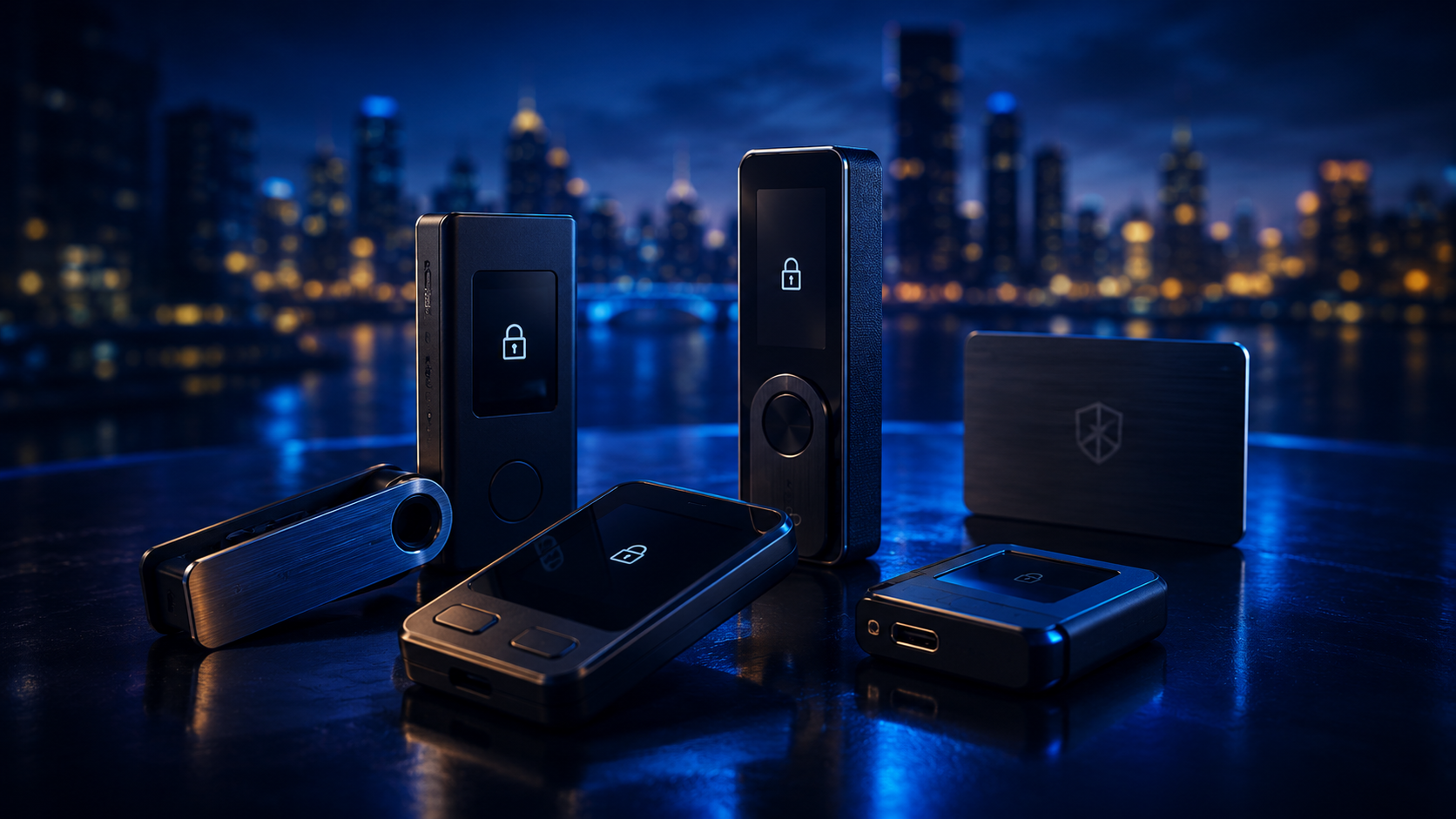
Reviewed options
Products mentioned in this guide
Wealthier Today offers unbiased reviews and recommendations of financial products and services. Even though we may receive compensation for some of the products we recommend, we always give our honest opinions, findings, beliefs, or experiences.

Review summary
Ledger offers several hardware wallets, including the Ledger Nano, Ledger Nano S, Ledger Blue, and Ledger Nano X. Ledger's main product is the Ledger Nano S, which is a hardware wallet designed for cryptocurrencies and blockchain applications. It supports Bitcoin, Ethereum, and other altcoins. It connects to any computer via USB and embeds a secure OLED display to double-check and confirm each transaction with a single tap on its side buttons.
Read our full Ledger review
Review summary
Trezor was the world's first cryptocurrency hardware wallet when it was launched in August 2014. It's also one of the most secure wallets in the cryptocurrency industry. Trezor's main products are the Trezor One and the Trezor Model T. Trezor One is the original and first hardware wallet, whereas the Trezor Model T is the latest and most advanced model.
Read our full Trezor reviewA hardware wallet keeps the private keys used to authorize cryptocurrency transactions in a dedicated physical device. It can reduce exposure to malware on a phone or computer, but the right device depends on the assets you own, the apps you use, and how often you transact.
This guide compares current Ledger and Trezor models using published product specifications and security documentation. Prices and asset support change, so confirm both on the manufacturer's website before purchasing.
Best Hardware Wallets at a Glance
| Hardware wallet | Best for | Interface | Connection | Important trade-off |
|---|---|---|---|---|
| Trezor Safe 3 | Security-focused beginners | Two buttons | USB-C | Smaller display than premium models |
| Ledger Nano S Plus | Lower-cost Ledger users | Two buttons | USB-C | No Bluetooth or battery |
| Ledger Nano X | Frequent mobile use | Two buttons | USB-C and Bluetooth | Smaller screen than touchscreen models |
| Trezor Safe 5 | Trezor touchscreen experience | Color touchscreen | USB-C | Premium price tier |
| Ledger Flex | Large-screen everyday signing | E Ink touchscreen | USB-C and Bluetooth | Larger and more expensive than Nano models |
| Ledger Stax | Premium touchscreen design | Curved E Ink touchscreen | USB-C and Bluetooth | Highest-cost option in this comparison |
There is no single winner for everyone. A Bitcoin-only holder may prioritize simple firmware and clear address verification, while a DeFi user may care more about third-party wallet compatibility and readable transaction details.
How We Compared Hardware Wallets
We assessed the factors that most directly affect security and day-to-day use:
- Transaction verification: whether the screen makes addresses and transaction details easy to inspect.
- Key isolation: how the device protects private keys from the connected phone or computer.
- Recovery design: support for standard recovery backups and additional passphrase protection.
- Software transparency: the availability of source code, security documentation, and reproducible processes.
- Asset and app support: compatibility with the coins, tokens, networks, and third-party wallets people actually use.
- Connection choices: USB, Bluetooth, battery requirements, and suitability for mobile use.
- Purchase and update safety: genuine-device checks, firmware delivery, and manufacturer support.
We do not treat the number of supported tokens as a security score. Supporting more networks can be convenient, but every additional app or integration also creates another dependency to understand.
Trezor Safe 3: Best for Security-Focused Beginners
Trezor Safe 3 combines a two-button interface, USB-C connection, and a dedicated Secure Element. Trezor says the Secure Element used in its Safe devices is Common Criteria EAL6+ certified. The device works with Trezor Suite and supports an optional passphrase for separating wallets.
Its smaller screen means users must scroll through more information than on a touchscreen model. The trade-off is a comparatively simple interface with physical confirmation buttons.
Choose it if: you want a straightforward device, prefer physical buttons, and value Trezor's published security documentation.
Ledger Nano S Plus: Best Lower-Cost Ledger
Ledger Nano S Plus is the wired entry point to Ledger's current wallet line. It connects over USB-C and works with Ledger Wallet software and supported third-party applications. It has no battery or Bluetooth, which makes it less convenient for mobile use but removes the need to manage wireless connectivity or charging.
Choose it if: you want Ledger app compatibility, normally transact from a computer, and do not need a touchscreen.
Ledger Nano X: Best for Mobile Use
Ledger Nano X adds Bluetooth and a rechargeable battery to the compact Nano design. That makes it easier to approve transactions from a compatible phone while retaining physical buttons and an on-device screen.
Bluetooth does not expose the private keys, but users still need to verify every transaction on the device. Anyone who does not want a wireless connection can use USB instead.
Choose it if: portability and phone connectivity matter more than having a large display.
Trezor Safe 5: Best Trezor Touchscreen Wallet
Trezor Safe 5 uses a color touchscreen and haptic feedback, making PIN entry, address review, and recovery workflows easier to navigate than on a two-button device. Like Safe 3, it includes a Secure Element and works with Trezor Suite.
Choose it if: you prefer Trezor's ecosystem but want a larger, more readable signing interface.
Ledger Flex: Best Large-Screen Everyday Wallet
Ledger Flex uses an E Ink touchscreen that provides more room to review transaction details than the Nano line. It supports USB-C and Bluetooth, and its larger form factor is designed for people who use a hardware wallet regularly rather than leaving it in storage for long periods.
Choose it if: clear on-device review and frequent use justify paying more than for a Nano model.
Ledger Stax: Best Premium Design
Ledger Stax is the premium Ledger option in this comparison. Its curved E Ink touchscreen is intended to make transaction review and device navigation more comfortable. Like Flex, it supports USB-C and Bluetooth.
The additional cost buys interface and design improvements rather than a substitute for good recovery-word security.
Choose it if: you want Ledger's largest premium experience and price is secondary.
Ledger vs. Trezor
| Consideration | Ledger | Trezor |
|---|---|---|
| Entry-level model | Nano S Plus | Safe 3 |
| Mobile option | Nano X, Flex, Stax | Primarily wired models in this comparison |
| Premium interface | Flex and Stax E Ink touchscreens | Safe 5 color touchscreen |
| Software approach | Ledger software includes both open and closed components | Trezor publishes open-source wallet software and firmware repositories |
| Third-party apps | Broad integration ecosystem; verify support by asset | Broad integration ecosystem; verify support by asset |
Neither brand protects against approving a malicious smart contract or typing recovery words into a phishing site. The screen only helps if you read what it displays.
Hardware Wallets vs. Software Wallets
A software wallet stores or accesses keys on a general-purpose phone or computer. It is convenient for small balances and frequent transactions, but the device is routinely exposed to browsers, apps, downloads, and internet connections.
A hardware wallet isolates signing in a dedicated device. The computer prepares a transaction, the hardware wallet displays and signs it, and the signed transaction returns to the computer for broadcast. Private keys should never leave the hardware wallet.
Some people use both: a software wallet for routine spending and a hardware wallet for larger, longer-term holdings.
How to Set Up a Hardware Wallet Safely
- Buy from the manufacturer or an authorized reseller.
- Inspect the packaging, but do not rely on a seal alone to prove authenticity.
- Download wallet software by typing the manufacturer's official domain yourself.
- Let the device generate new recovery words during setup.
- Write the words down offline in the correct order; never photograph, email, or cloud-sync them.
- Set a PIN and consider an optional passphrase only if you understand its recovery implications.
- Install current firmware through the official application.
- Send a small test transaction, then verify that you can access it before moving a larger balance.
No legitimate support agent needs your recovery words. Anyone who obtains them can recreate the wallet without possessing the physical device.
Recovery Words and Passphrases
Recovery words are the backup for the keys controlled by a hardware wallet. If the device is lost or damaged, the words can restore access on a compatible wallet. If the words are lost and the device fails, the assets may be unrecoverable.
An optional passphrase creates a separate wallet in addition to the recovery words. It can protect against someone finding the written backup, but a forgotten or mistyped passphrase can also permanently hide the wallet from its owner. It is an advanced feature, not a password-reset mechanism.
Hardware Wallet Risks
- Phishing: fake support messages and wallet websites ask users to enter recovery words.
- Counterfeit devices: altered hardware or software can imitate a legitimate wallet.
- Blind signing: a screen may not clearly explain every smart-contract action.
- Malicious approvals: signing can grant a contract permission to move tokens later.
- Physical loss: the device can be replaced, but only if the backup is intact.
- Backup theft: recovery words give an attacker direct access to the wallet.
- Asset incompatibility: a device may support a network but not every token or feature through its first-party app.
For larger balances, test the complete backup and recovery process with a small amount before relying on it.
Sources and Product Verification
Review the manufacturers' current documentation before buying:
Hardware wallets improve key security, but they do not make cryptocurrency risk-free. Market losses, protocol failures, scams, irreversible transfers, and tax obligations still apply.
Frequently asked questions
What is the best hardware wallet in 2026?
The best hardware wallet depends on how you use crypto. Trezor Safe 3 and Ledger Nano S Plus are practical entry-level choices, while Trezor Safe 5, Ledger Flex, and Ledger Stax offer larger touchscreens and a more premium experience. Confirm that a device supports every asset and wallet app you need before buying.
What is the safest hardware wallet?
No device is universally safest. Look for verified firmware, clear transaction signing, a secure backup process, independent security documentation, and a manufacturer with a strong update history. Your recovery words remain the most important secret to protect.
Are Ledger or Trezor wallets better?
Ledger supports a broad app ecosystem and offers several touchscreen and Bluetooth-capable devices. Trezor emphasizes transparent software and straightforward recovery options. Compare the exact model rather than choosing by brand alone.
Should I buy a hardware wallet from Amazon or another marketplace?
Buy directly from the manufacturer or an authorized reseller. A counterfeit or previously initialized device may be designed to steal recovery words. Never use recovery words supplied on a card in the box.
Can a hardware wallet be hacked?
Hardware wallets reduce online exposure, but they cannot eliminate phishing, malicious approvals, counterfeit devices, compromised computers, physical attacks, or mistakes during recovery. Always verify transaction details on the device screen.
Continue reading
More resources
- BitcoinWhat is Blockchain?Cryptocurrencies like Bitcoin use blockchain technology to record and verify transactions. This allows them to operate without a central authority or central bank.Read next
- BitcoinBest Bitcoin Exchanges for 2026Compare leading Bitcoin exchanges by fees, security, availability, and ease of use so you can choose the right place to buy BTC.Read next
- BitcoinWhat is the Lightning Network?The Lightning Network is Bitcoin's layer-2 payment system for near-instant, low-fee transfers using off-chain payment channels.Read next
- CryptocurrencyWhat is Cryptocurrency?Bitcoin is a type of cryptocurrency, a form of digital currency that uses cryptography to secure transactions.Read next